
Web and desktop application
Chat Locker
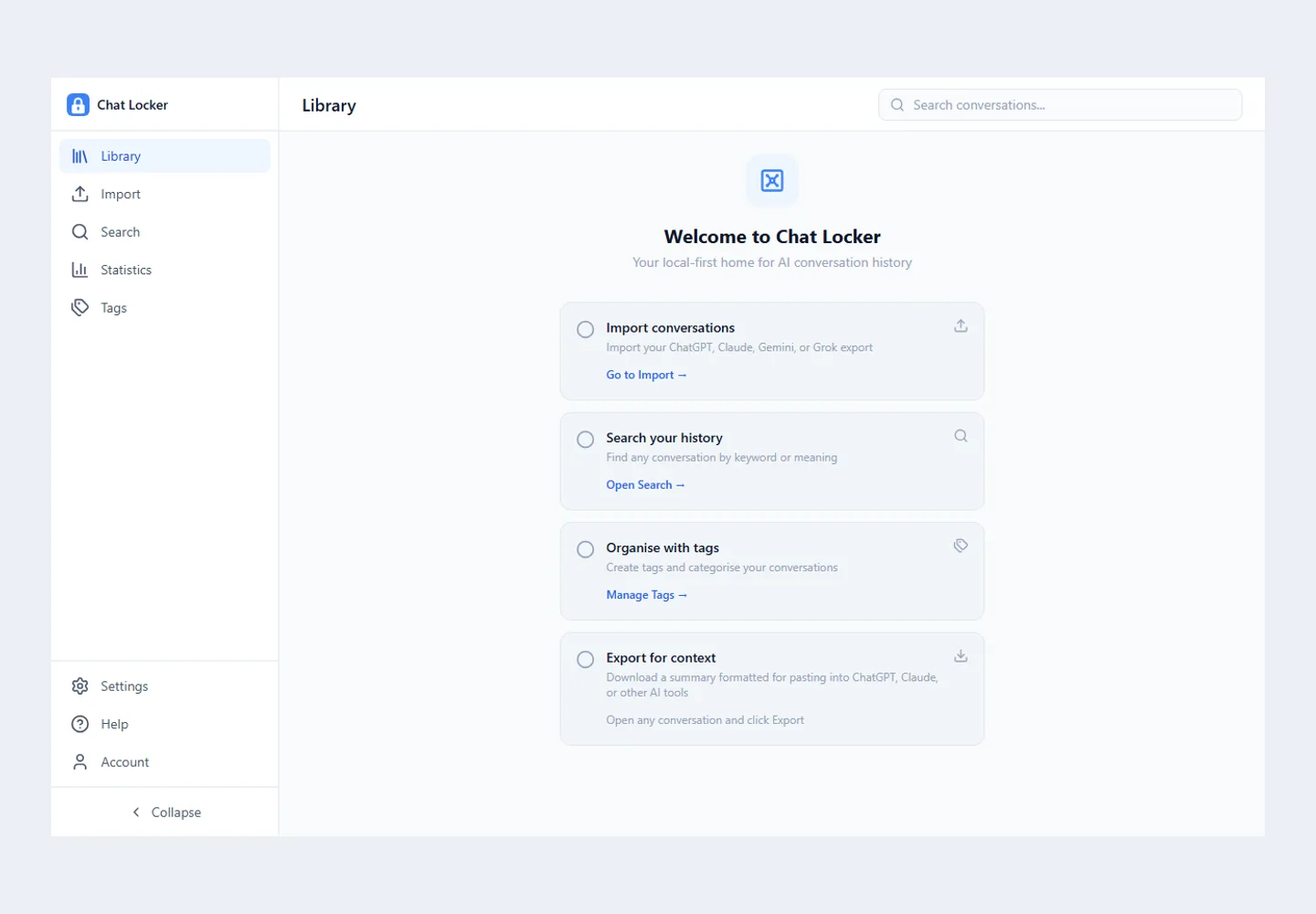
Chat Locker brings AI conversation history into one place. It imports the export files from ChatGPT, Claude, Gemini and Grok, indexes them on the device, and lets you search, tag and export. It runs in the browser and as a desktop app for Windows, macOS and Linux. It was designed and built by Emanuel Luís.
Problem
Each assistant keeps history its own way, built-in search is limited, and useful conversations get lost across platforms.
Solution
One archive, built from each platform's official export.
- Drag-and-drop import of ZIP or JSON files
- Keyword search and semantic search that runs on the device
- Tags, filters by platform and date, and usage statistics
- Export as Markdown, JSON or a ready-to-paste context prompt
Product decisions
Data stays on the device by default and local use needs no account. Pro sync is optional and can encrypt content fields before upload. The site explains what uses the network and what does not, including that team shares are readable on the service.
What this project shows
Privacy by design, on-device AI, and a desktop app with signed and notarised macOS builds and integrity-checked updates.
Frequently asked questions
Do I need an account to use Chat Locker?
Not for local use: import, search and reading work on the device. An account is only needed for sync across devices and for teams, on the Pro plan.
Does conversation content leave my computer?
Only when you use cloud sync or team sharing. Semantic search downloads a model and runs on the device.
Tell us about your project.
Need a homepage, web application, online store, automation, integration, or AI solution? Talk to eluis.pt and explain what you want to create.